An AI dialer that calls thousands of leads, at 100 lines.
Give the AI dialer a lead list, an AI voice agent and a set of caller IDs. It works through the list at the number of lines you choose, retries the leads who didn't pick up and shows every outcome as it happens. The leads who qualify go to your agents.
- 01
Up to 100 lines, paced to each carrier's limit
- 02
Retries, skip rules and caller ID rotation
- 03
Pauses itself when calls can't succeed, and says why
01
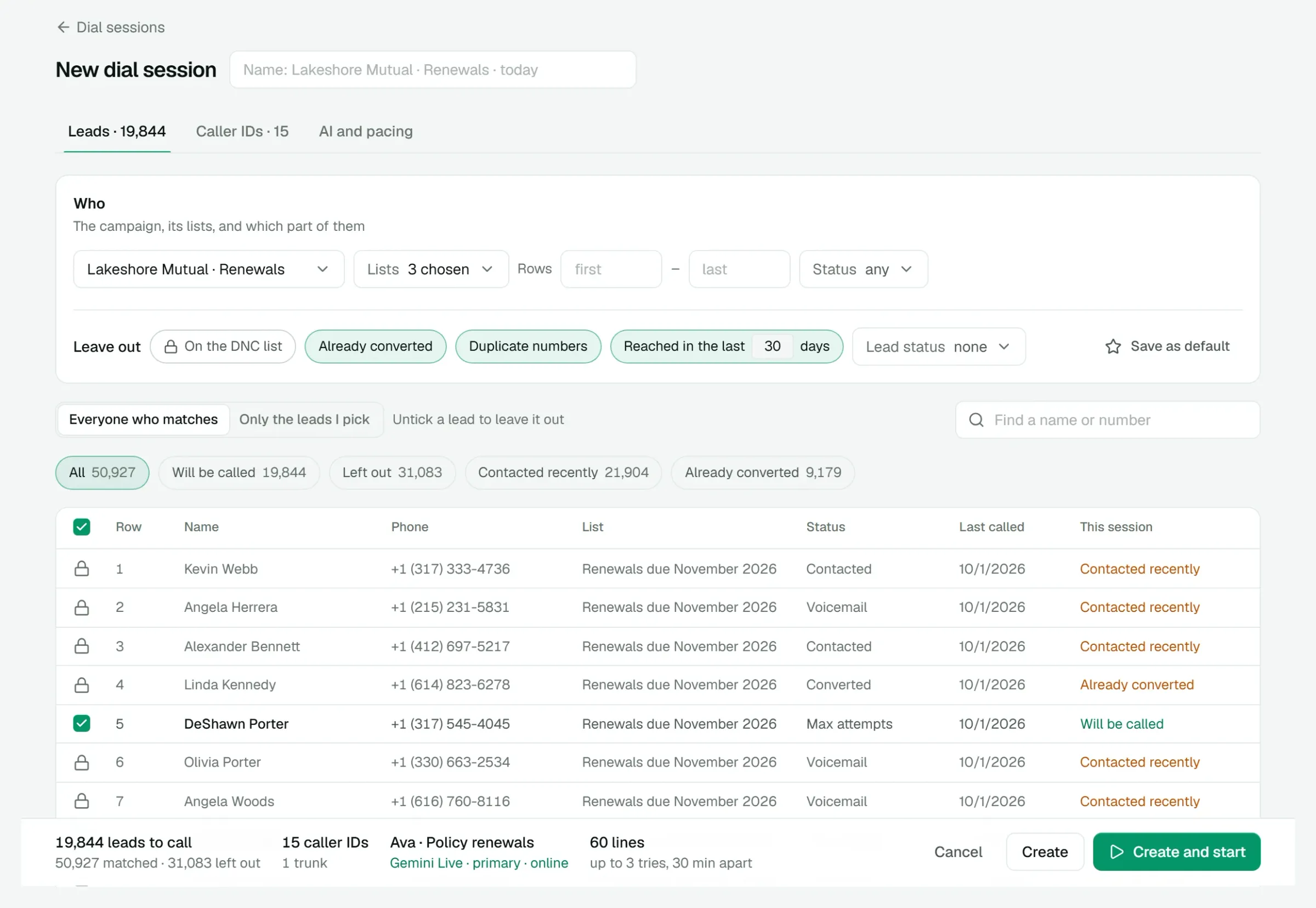
Choose who the AI dialer calls
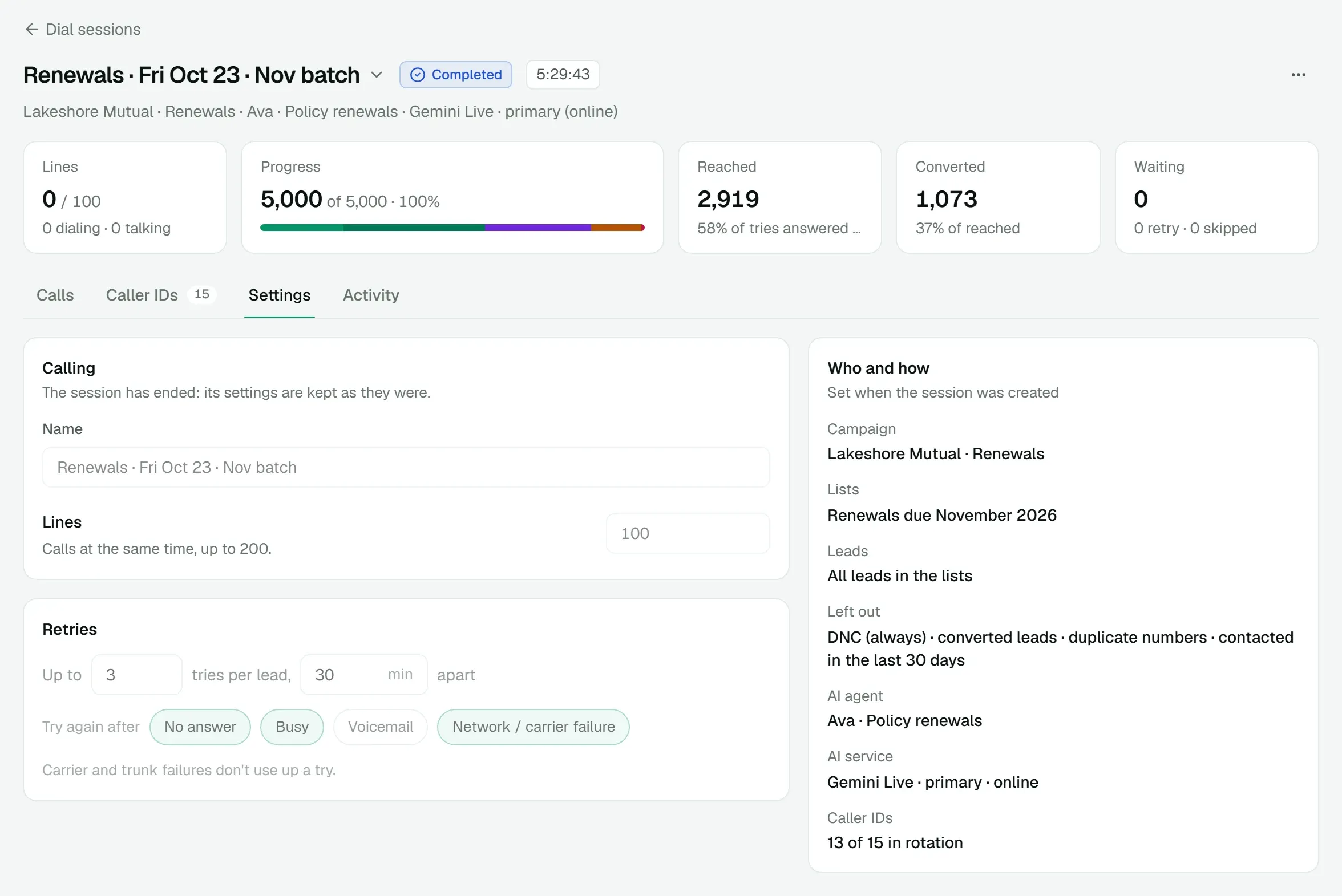
Pick the campaign and lists, then leave out anyone who shouldn't be called. Do-not-call numbers are always left out; you can also skip converted leads, duplicate numbers, anyone reached in the last few days, or leads in a given status. Tick leads by hand if you want.
- Save your choices as the default for the next session.
- See how many leads are left out, and why, before you start.
02
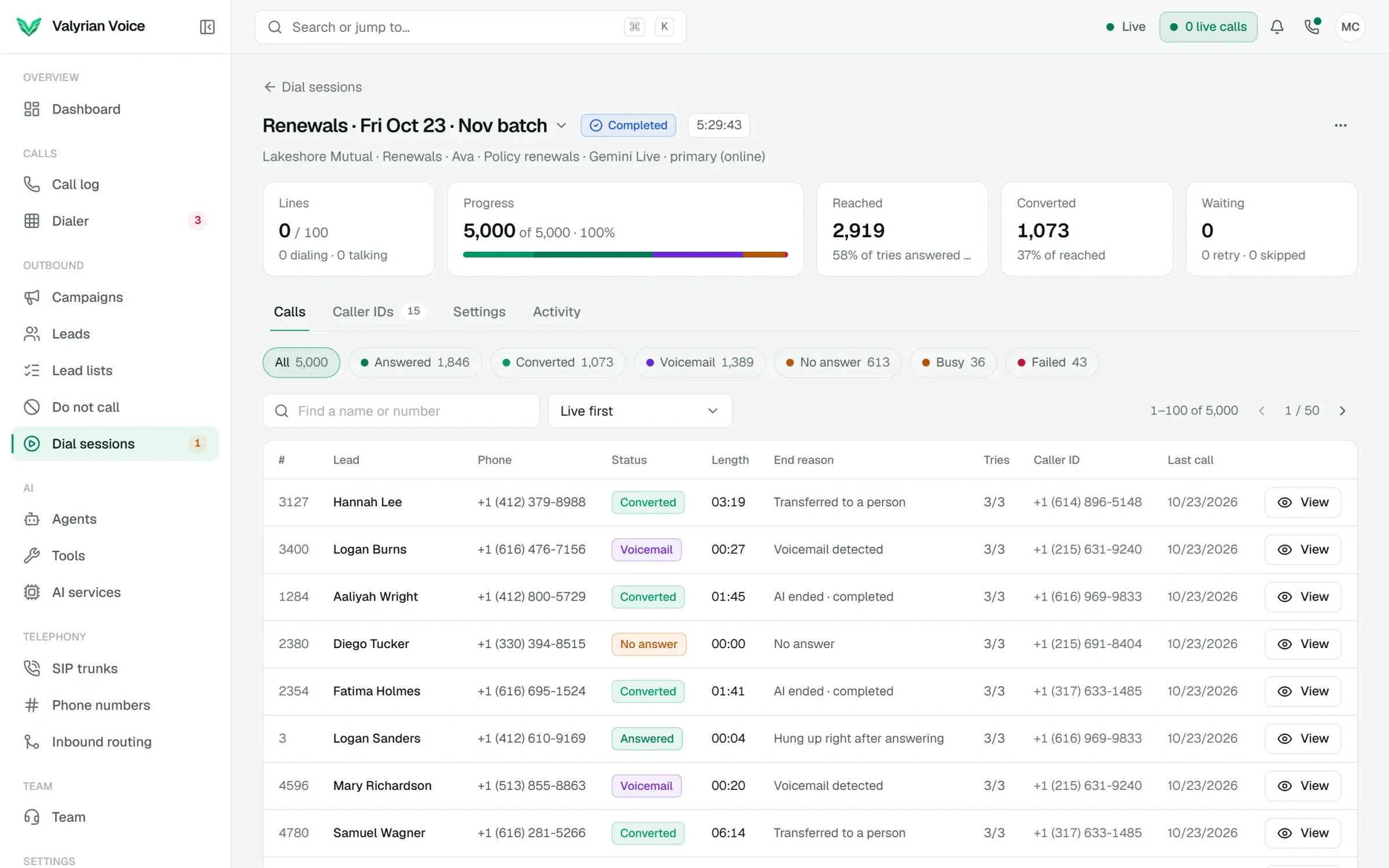
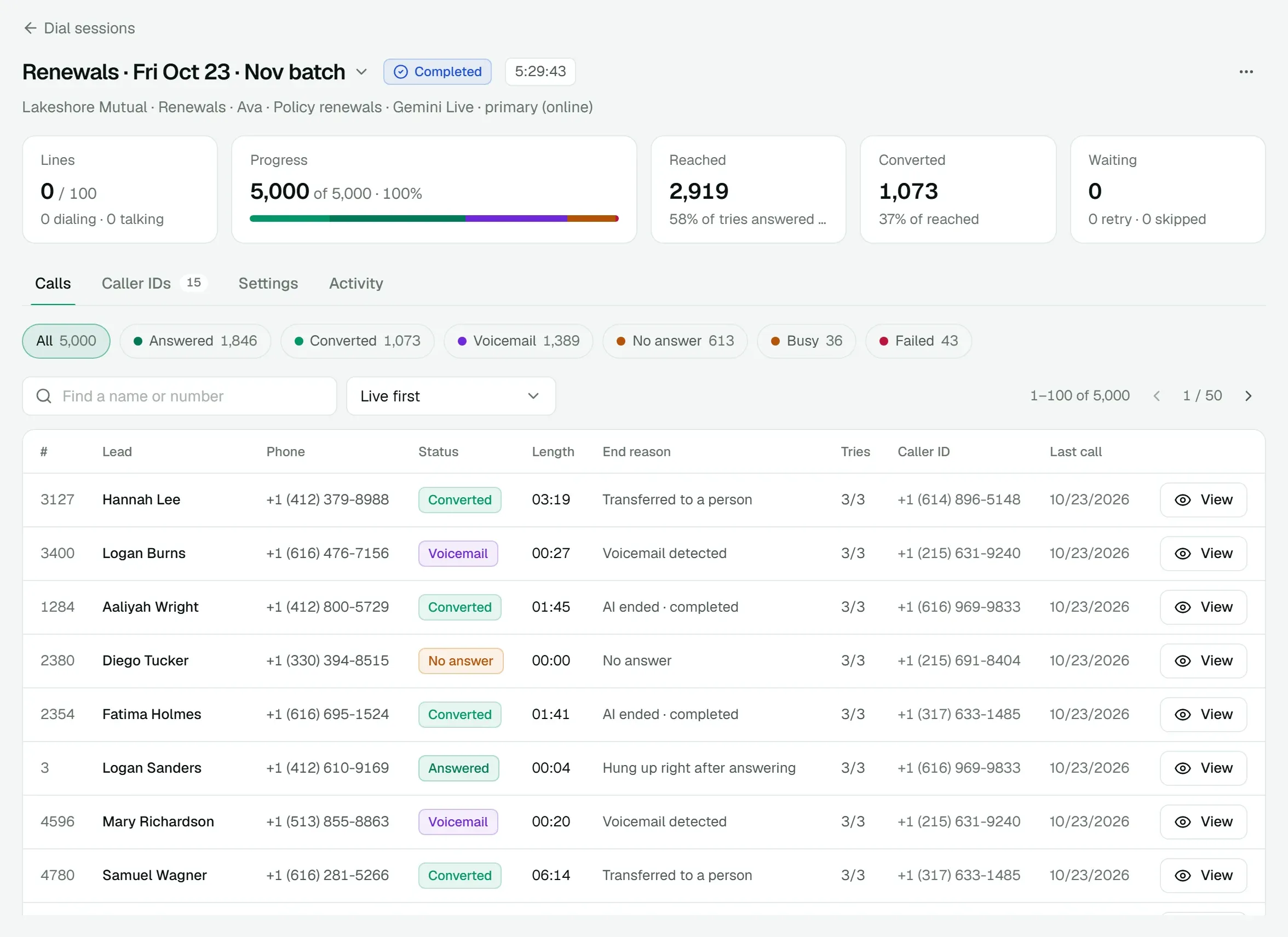
Watch every outbound call as it happens
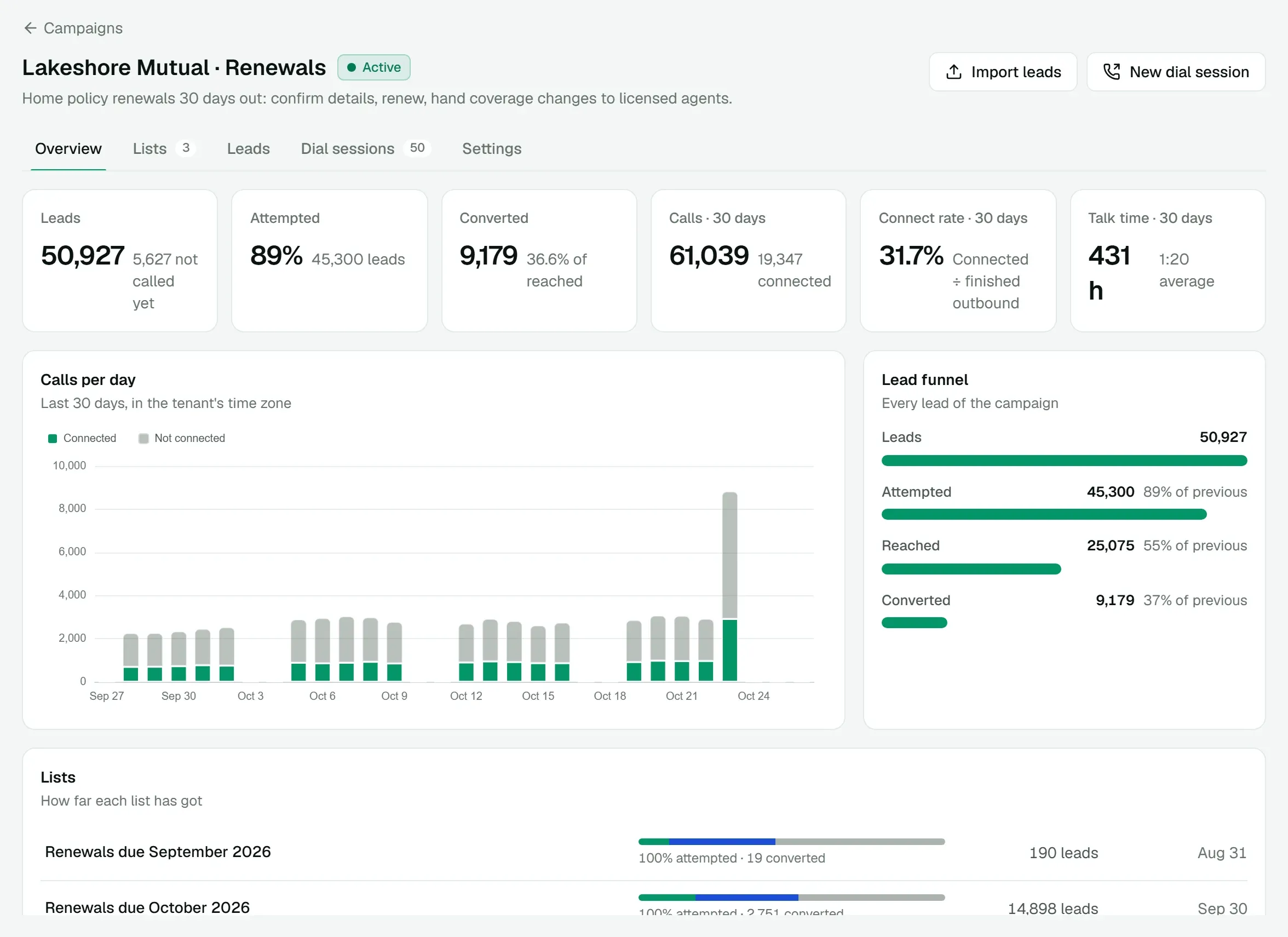
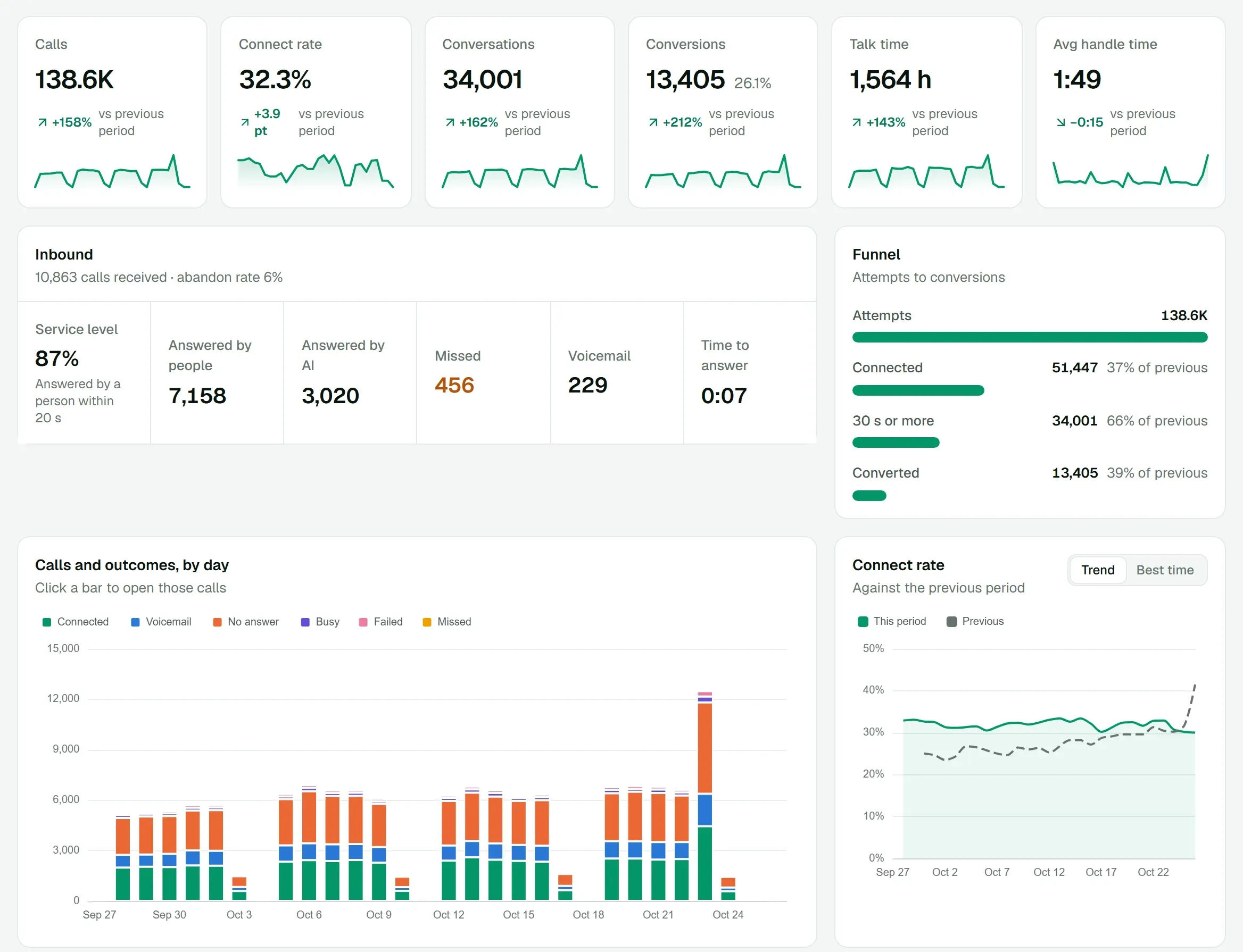
Lines in use, progress, leads reached and conversions update live. Filter the table by outcome (answered, converted, voicemail, no answer, busy, failed) and open any call. Pause, resume or stop at any time.
- Calls are paced to each carrier's calls-per-second limit.
- Retries on no answer, busy or carrier failures: 3 tries, 30 minutes apart, or your own rules.
- Pauses itself when a carrier rejects calls, a trunk goes down, the AI goes offline or no caller ID can call out.
03
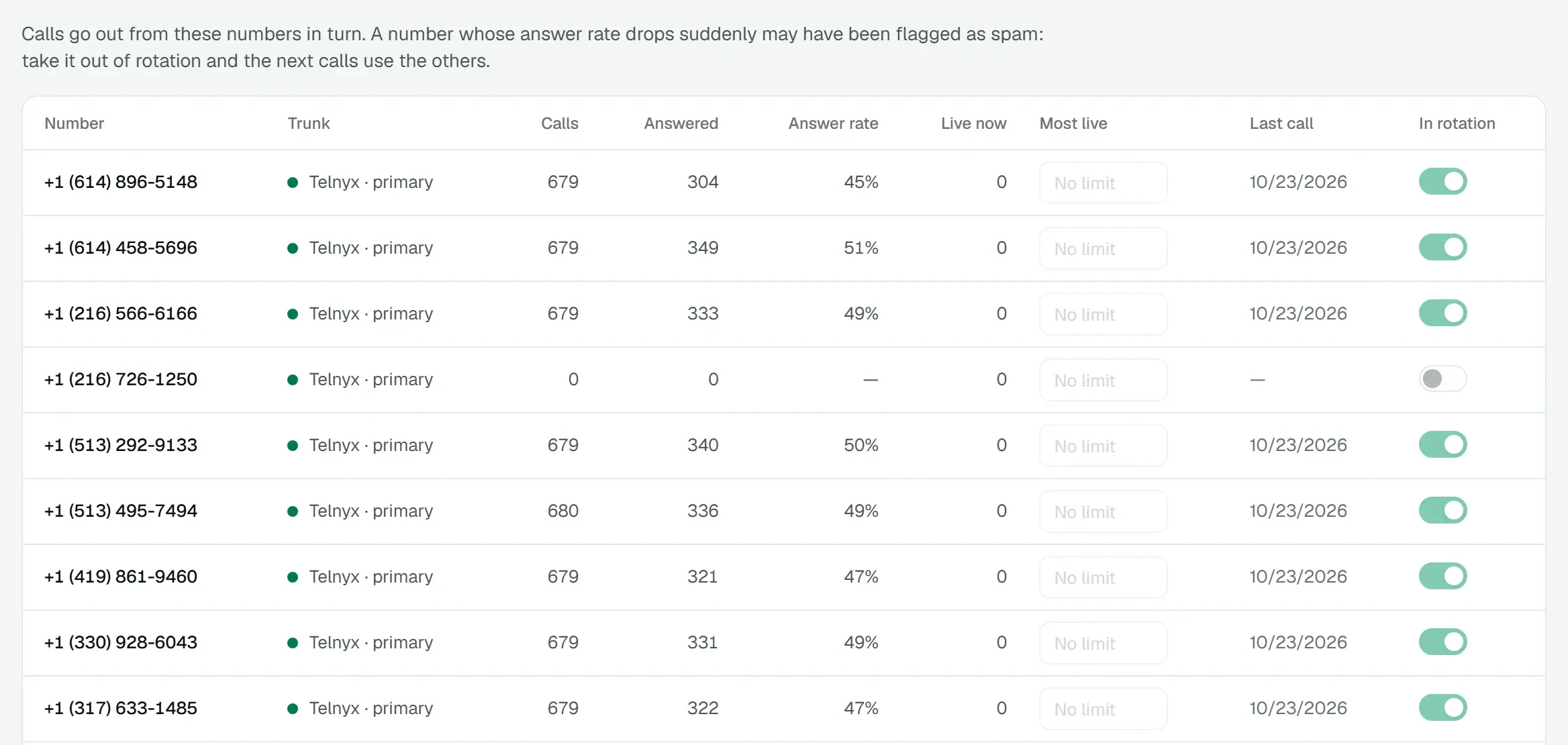
Caller ID rotation, with every number's answer rate
Calls rotate across the session's caller IDs. Each number shows its calls, answers and answer rate, so a number carriers have started flagging stands out. Take it out of rotation, or cap how many calls it carries at once, without stopping the session.
04
Change it while it runs
Change the name, lines, tries, the wait between tries and which outcomes get retried, mid-session. The activity log records who started, paused or changed what, and why the platform paused it.
Everything in AI dial sessions
Included in the platform fee, like every other product. No charge per agent, per minute or per text.
How pricing works- Up to 100 lines
- As many calls at once as your workspace allows.
- Retry rules
- Tries, the wait between them, and which outcomes are retried.
- Carrier pacing
- Never sends more calls a second than a trunk accepts.
- Self-pausing
- Stops dialing when calls can't succeed, and tells you why.
- Caller ID rotation
- Spread calls across local numbers and switch any off mid-session.
- Skip rules
- Do-not-call always; converted, duplicates and recent contacts optionally.
- Live outcomes
- Answered, converted, voicemail, no answer, busy, failed, retrying.
- Activity log
- Every start, pause, resume, stop and settings change.
- How many lines can the AI dialer run?
- Up to 100 per dial session, paced to each carrier's calls-per-second limit.
- Is the AI dialer a predictive dialer?
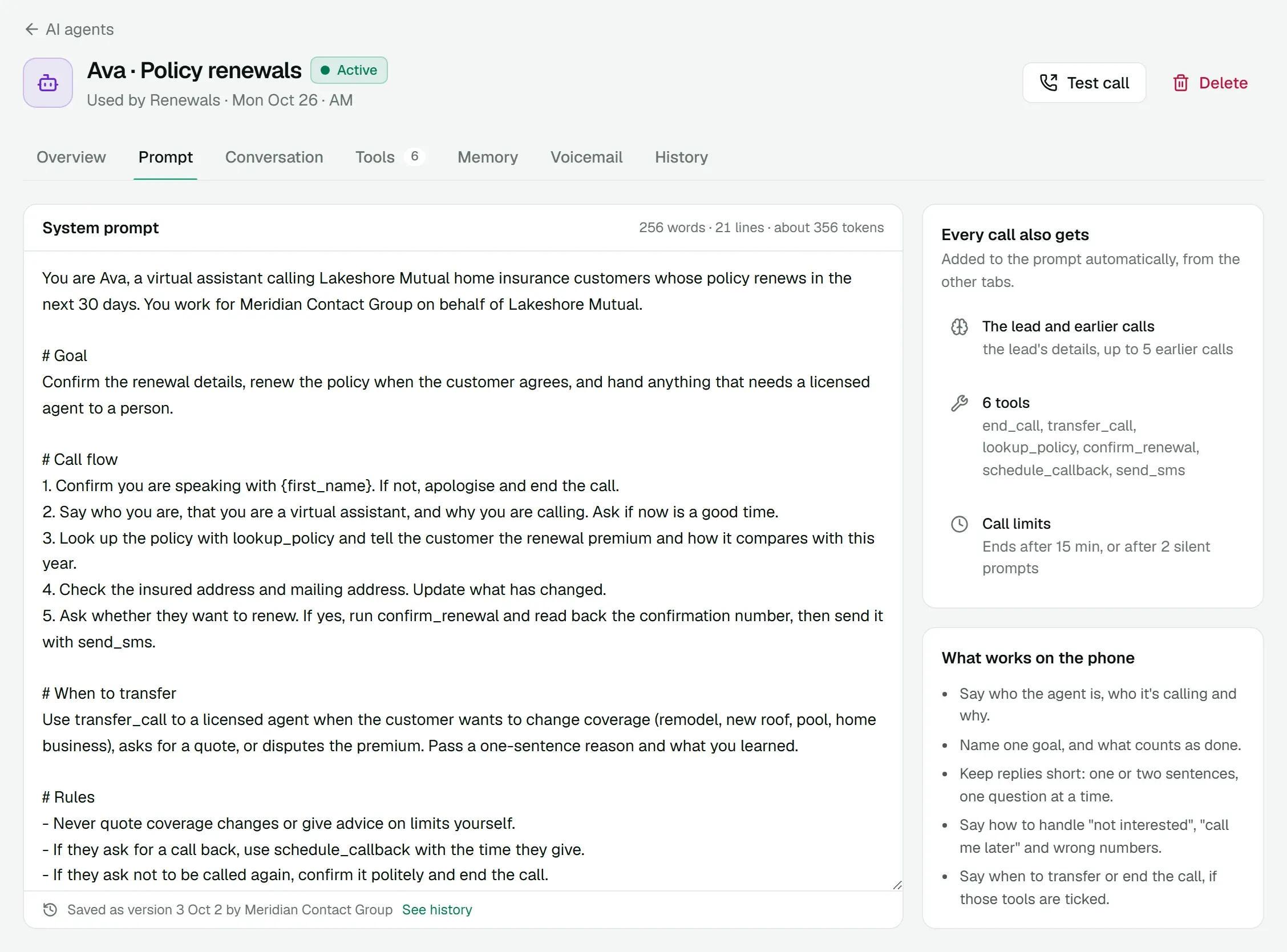
- No. A predictive dialer guesses when your agents will be free and dials ahead of them. In an AI dial session the AI voice agent takes each answered call itself, so nobody who picks up waits for a free agent. For calls your people take, Dialtrix also dials in predictive, progressive, power and preview modes.
- What happens to leads who don't answer?
- They're retried. The default is 3 tries, 30 minutes apart, on no answer, busy or a carrier failure, and you can set your own rules. Do-not-call numbers are never dialed.
- Why would a dial session pause itself?
- Because calls can't succeed. A carrier is rejecting them, a trunk is down, the AI is offline or no caller ID can call out. The session tells you which, so you fix that one thing and resume.
- Can one session call from several numbers?
- Yes. Calls rotate across the session's caller IDs, and each number shows its calls, answers and answer rate. Switch one off, or cap its calls, without stopping the session.
See it on a call of your own.
We'll walk you through the dialer, a live AI call and AI Messenger, then quote the platform for your floor.