Call recording software that shows what happened on every call.
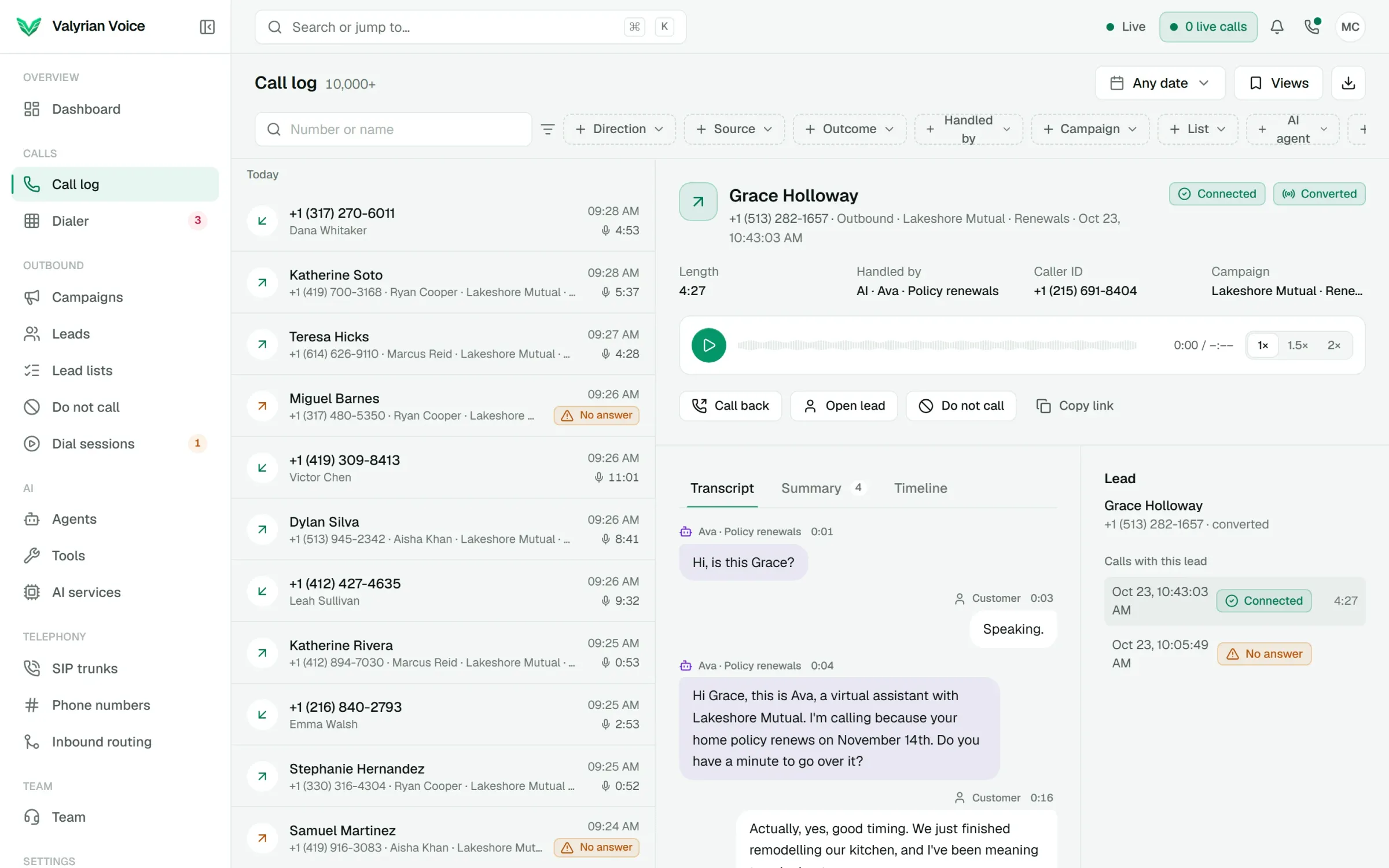
Most call recording software stops at the audio. Here every call, AI or people, inbound or outbound, opens with its recording, a transcript, what the AI did and pulled out, and every transfer along the way.
- 01
Recordings at 1x, 1.5x or 2x, in step with the transcript
- 02
An AI summary and extracted fields on every AI call
- 03
Filters, saved views and CSV export
01
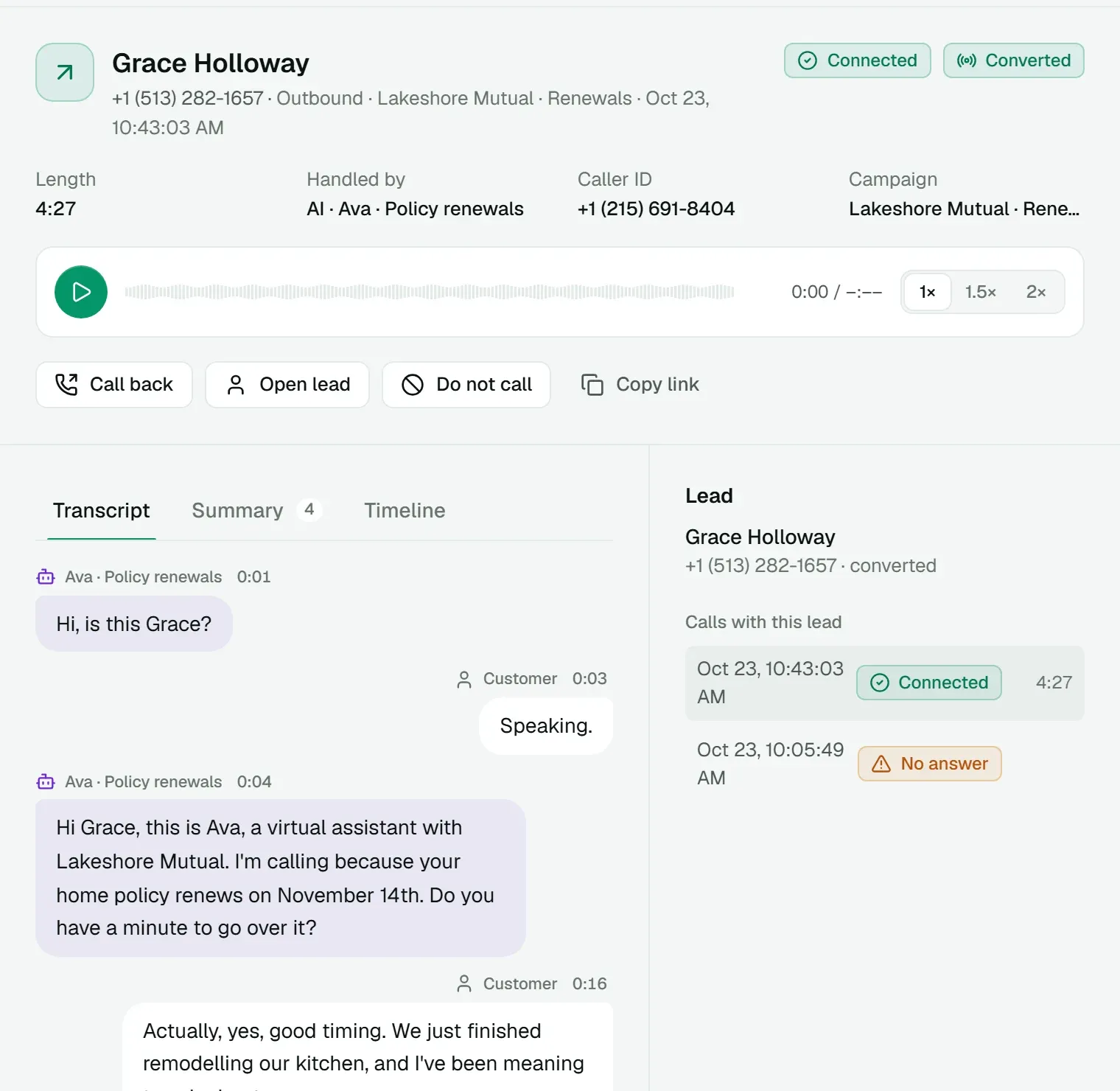
Call recordings and transcripts, in step
Play the recording at normal speed, 1.5x or 2x, and click any line of the transcript to jump to it. Tool calls appear inline, with what they sent back and how long they took.
02
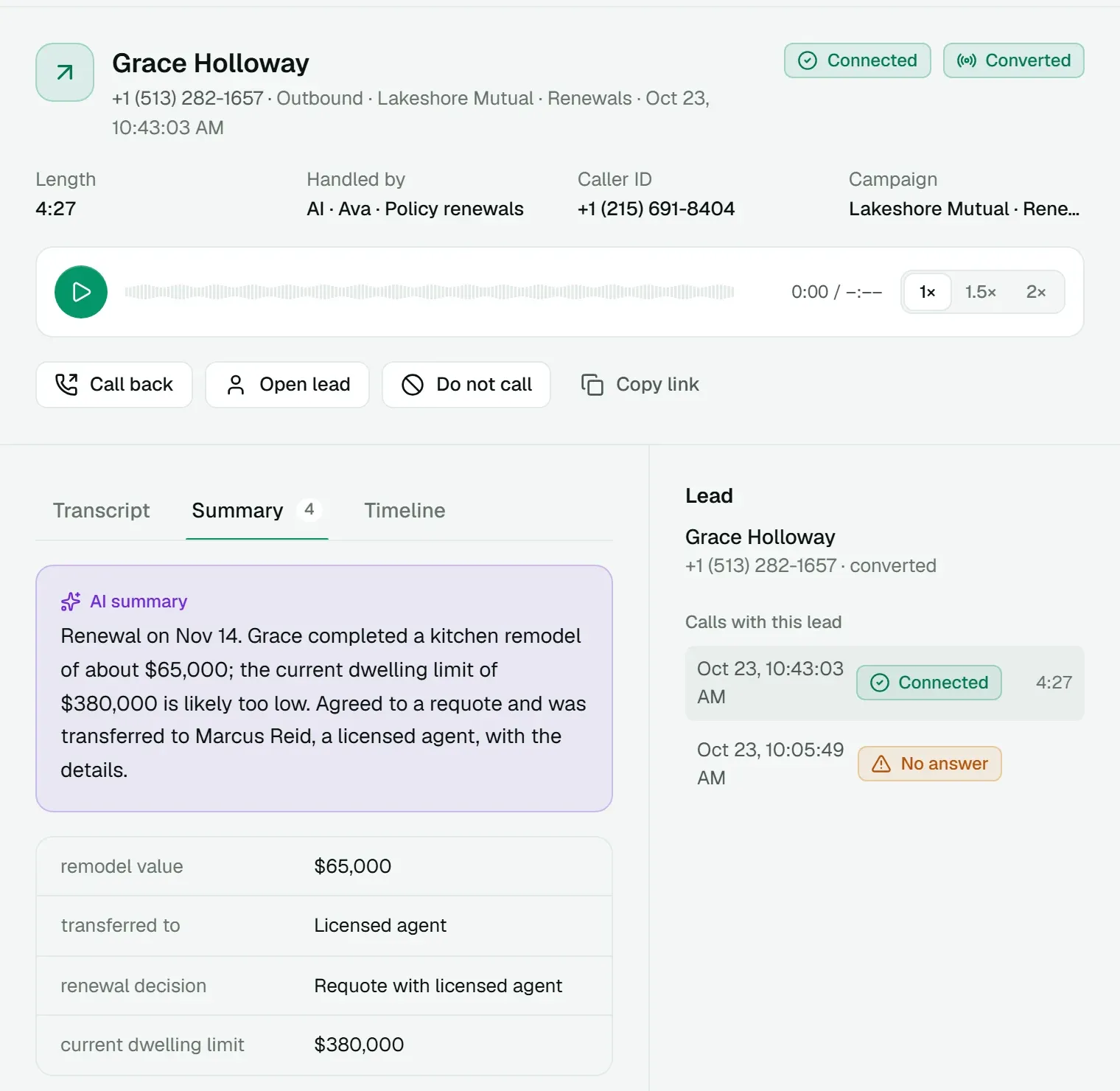
AI call summaries, and the fields that matter
After each AI call you get a short summary and the fields the agent extracted, such as a renewal decision, an appointment or a callback time. They sit with the call and feed the agent's memory for the next one.
03
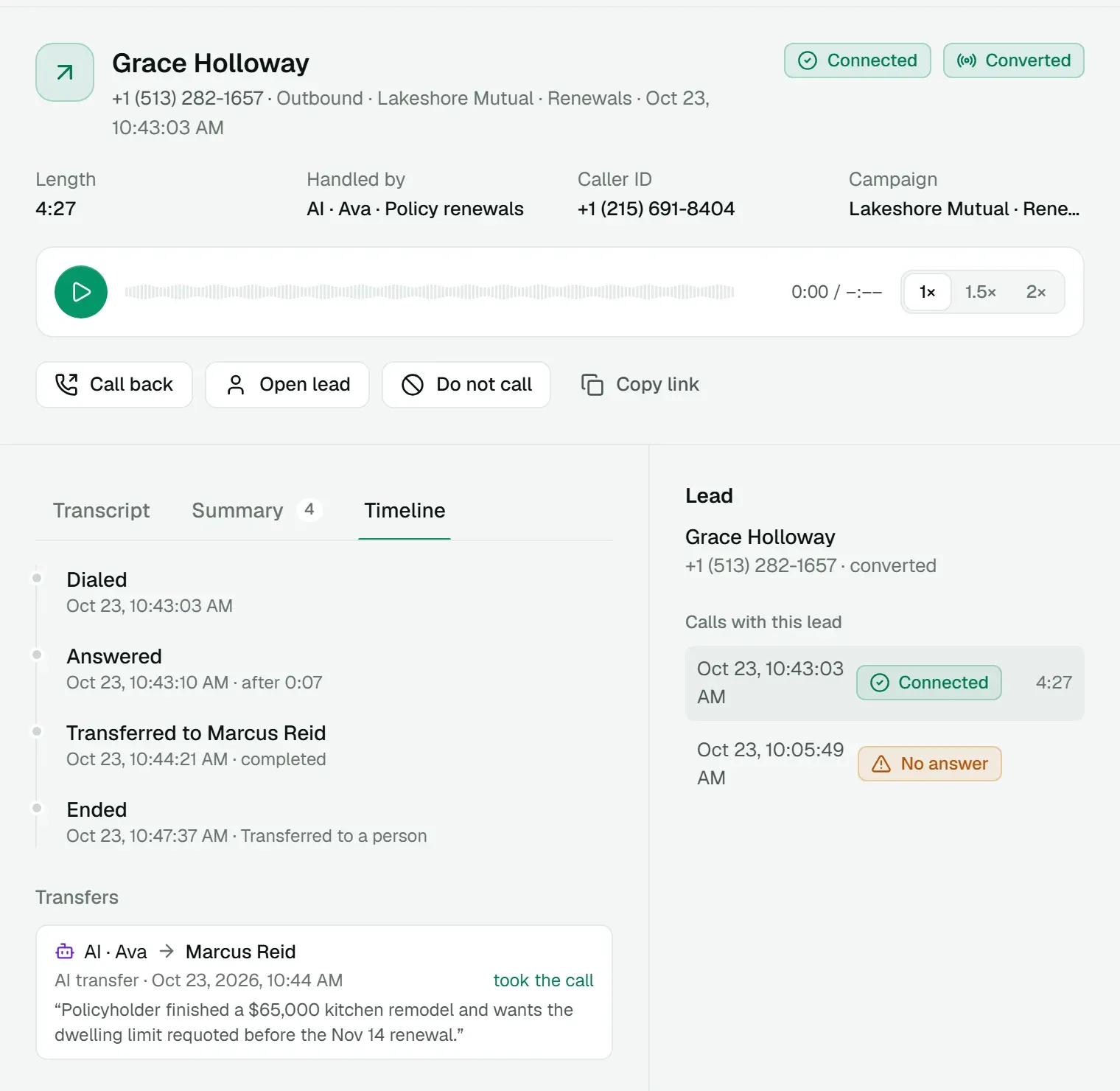
A timeline down to the second
Dialed, answered, transferred and ended, with how long each step took, and the full transfer chain with the reason the AI gave.
Everything in Call log and recordings
Included in the platform fee, like every other product. No charge per agent, per minute or per text.
How pricing works- Filters
- Direction, source, outcome, who handled it, campaign, list, AI agent and date.
- Search
- Find calls by number or name.
- Saved views
- Keep the filters you use every day.
- CSV export
- Export any filtered set; it runs in the background with progress.
- Lead context
- Every other call with the same lead, next to the call.
- Take over AI calls
- Hang up a live call, or hand an AI call to a person or any number.
- Actions
- Call back, open the lead, mark do-not-call, copy a link.
- Recording rules
- Calls people take and AI calls each have their own recording setting.
- Does it record every call?
- It records what your rules say. Calls your people take and AI calls each have their own setting: record every call, record none, or let the agent switch recording on and off during the call.
- How do the transcripts work?
- The transcript plays in step with the recording. Click any line to jump to it, at 1x, 1.5x or 2x. Tool calls show inline, with what they sent back and how long they took.
- What's in an AI call summary?
- A short summary and the fields the AI voice agent extracted, such as a renewal decision, an appointment or a callback time. They also feed the agent's memory for its next call with that lead.
- Can we export call records?
- Filter by direction, outcome, campaign, list, who handled the call or date, then export the set as CSV. Big exports run in the background, with progress.
- Can a supervisor step into a live AI call?
- Yes. Hang it up, or hand it to a person or any number.
See it on a call of your own.
We'll walk you through the dialer, a live AI call and AI Messenger, then quote the platform for your floor.