A softphone for every agent, right in the browser.
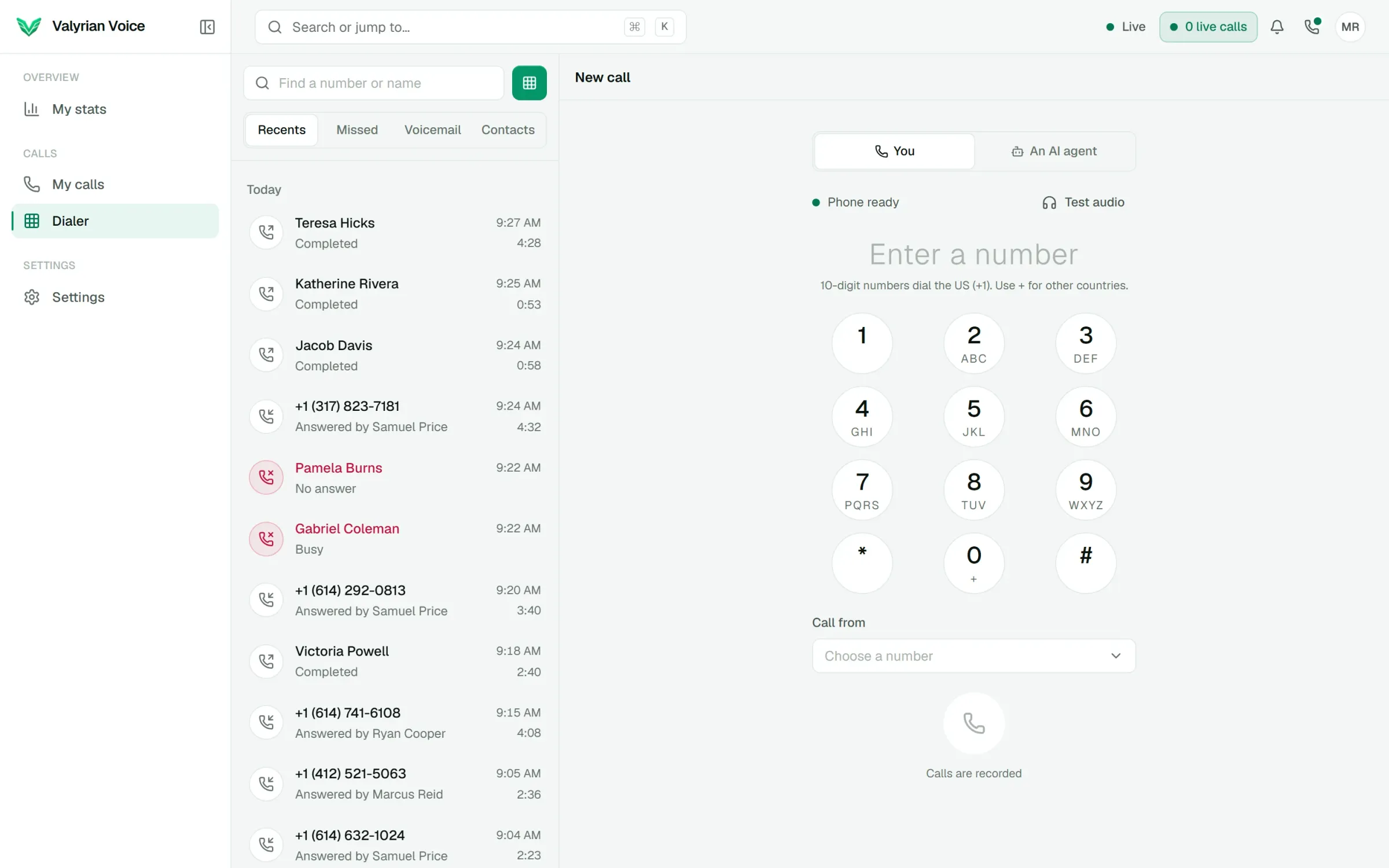
Every agent gets a browser softphone. They sign in, pick the number to call from and dial. Calls ring on a computer or a phone, with recent calls, missed calls, voicemail and contacts one tap away. Admins decide what gets recorded and which numbers each person holds.
- 01
Calls in the browser on a computer or a phone, with nothing to install
- 02
Recent calls, missed calls, voicemail and contacts in one panel
- 03
Blind, three-way and consult transfers
01
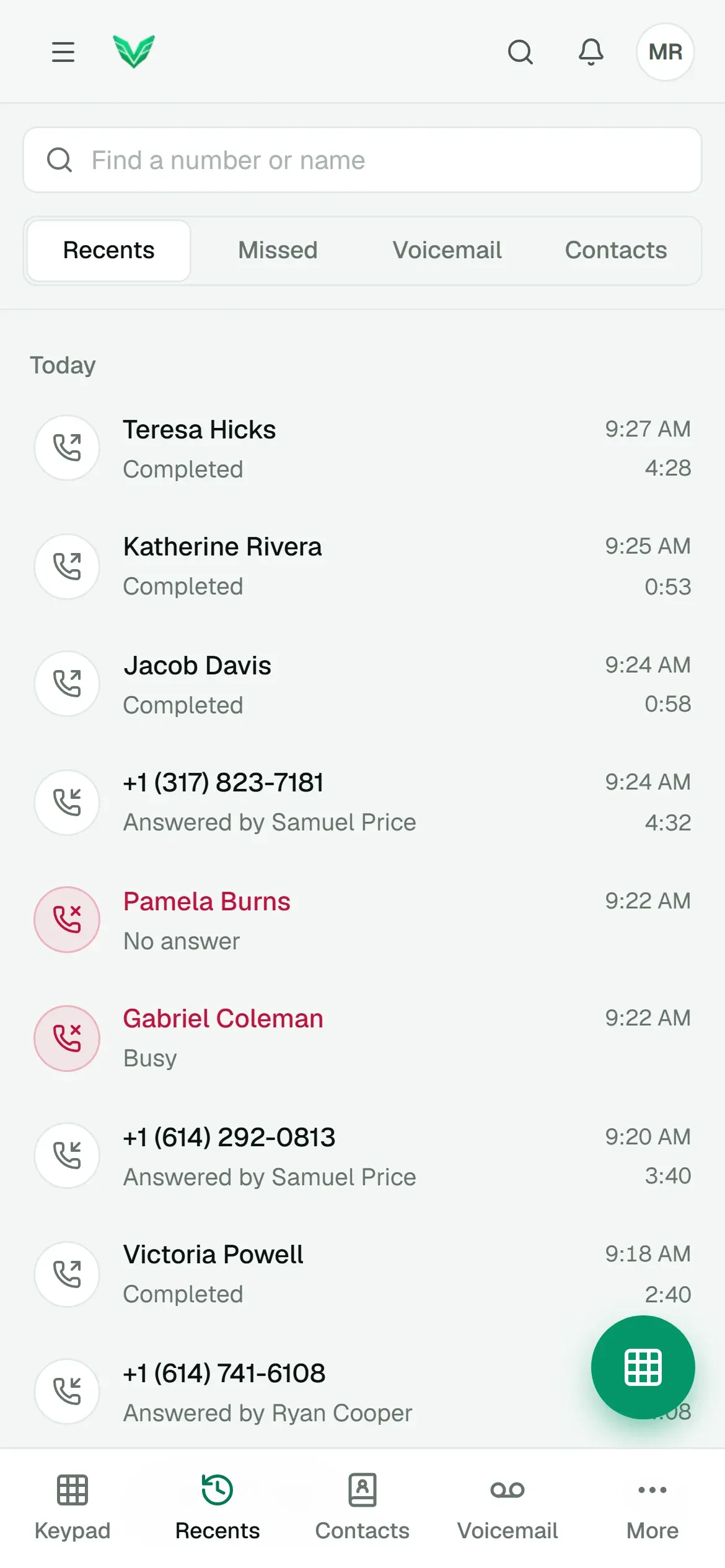
A softphone with recents, voicemail and contacts
Everything an agent needs to work the phone sits in one panel, on a laptop or a phone-sized screen. Each call in the list shows who it was with, how it ended and how long it took.
- Missed calls stay badged until the agent has seen them.
- One voicemail box per number, shared by everyone on it. Once someone plays a message, it's marked heard for all.
- Shared contacts for the team, plus private ones only their creator sees.
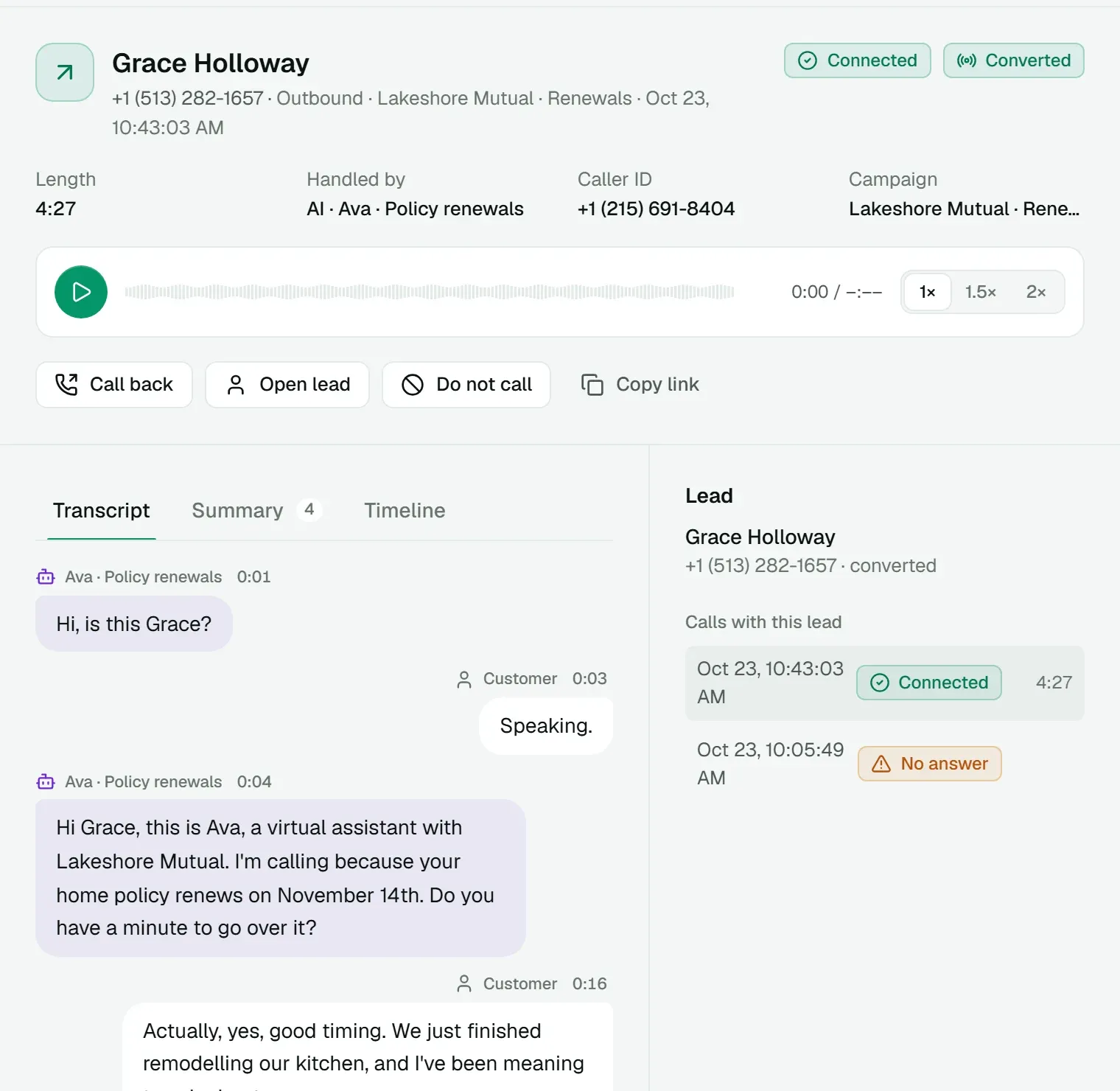
- Call back from any call in the log, or mark the number do-not-call.
02
Inbound calls ring the right people
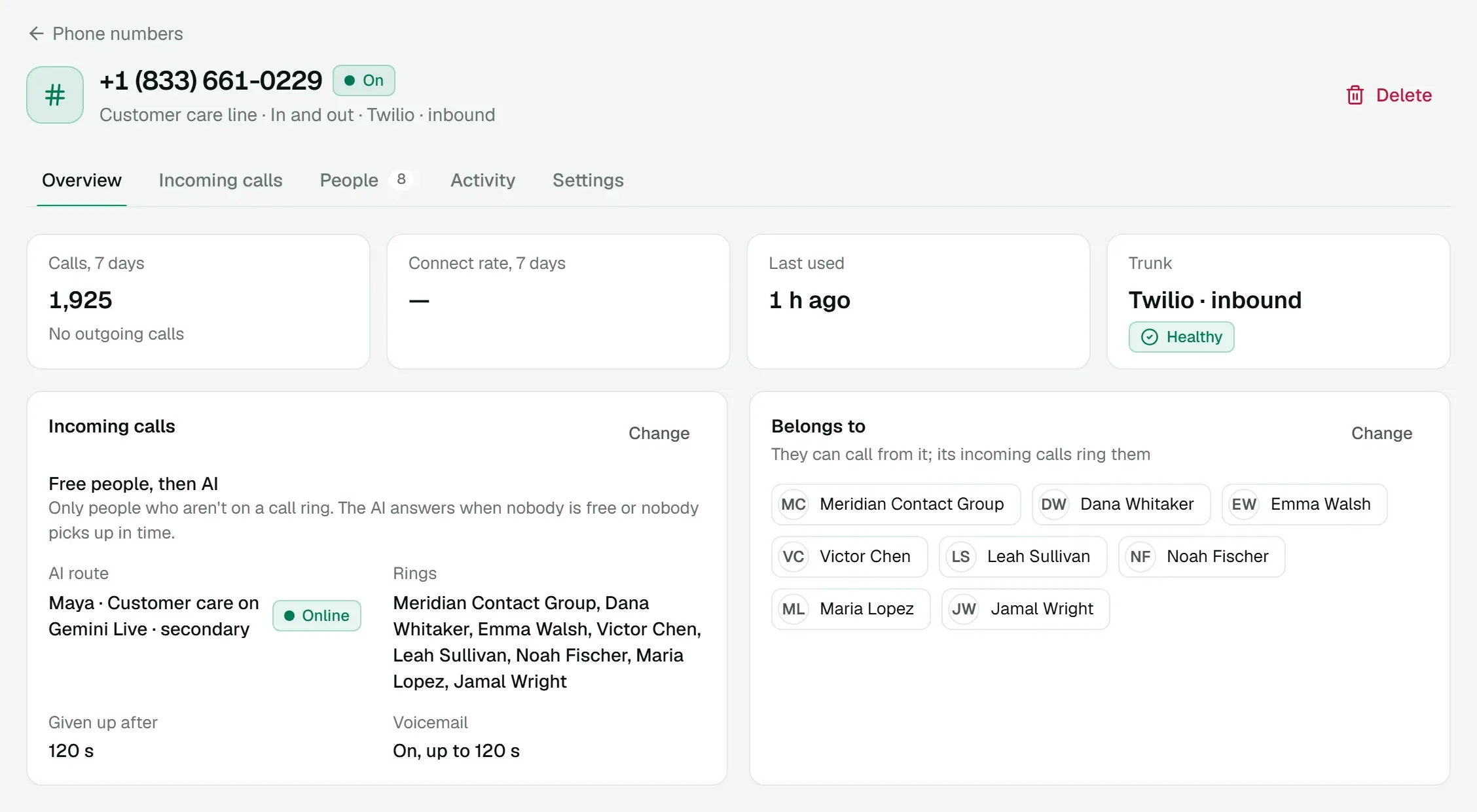
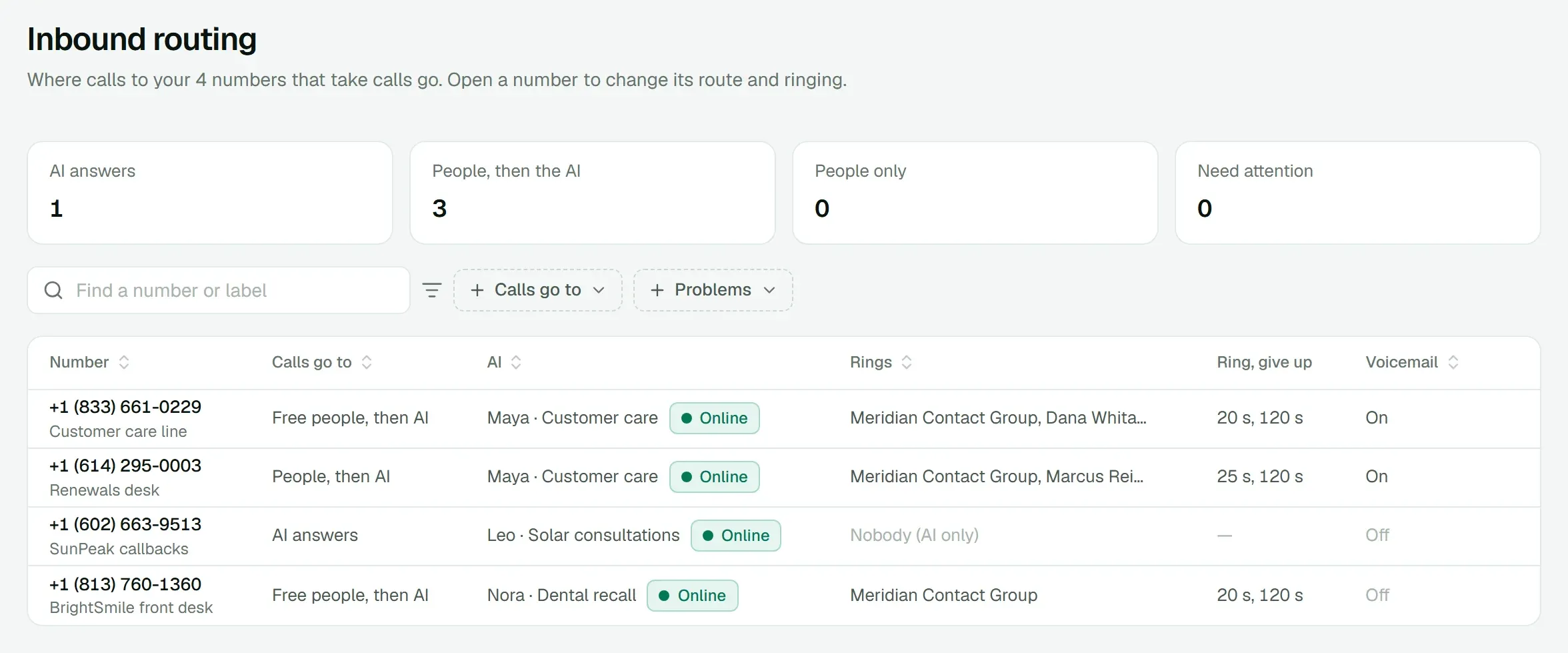
When a number rings, everyone it belongs to who is online gets the call in their browser. A number can belong to a whole team, and one agent can hold several numbers.
- Set ring time and give-up time per number.
- Turn on voicemail with your own greeting.
- Hand a call to the AI when someone needs to.
03
Call transfers that keep the customer
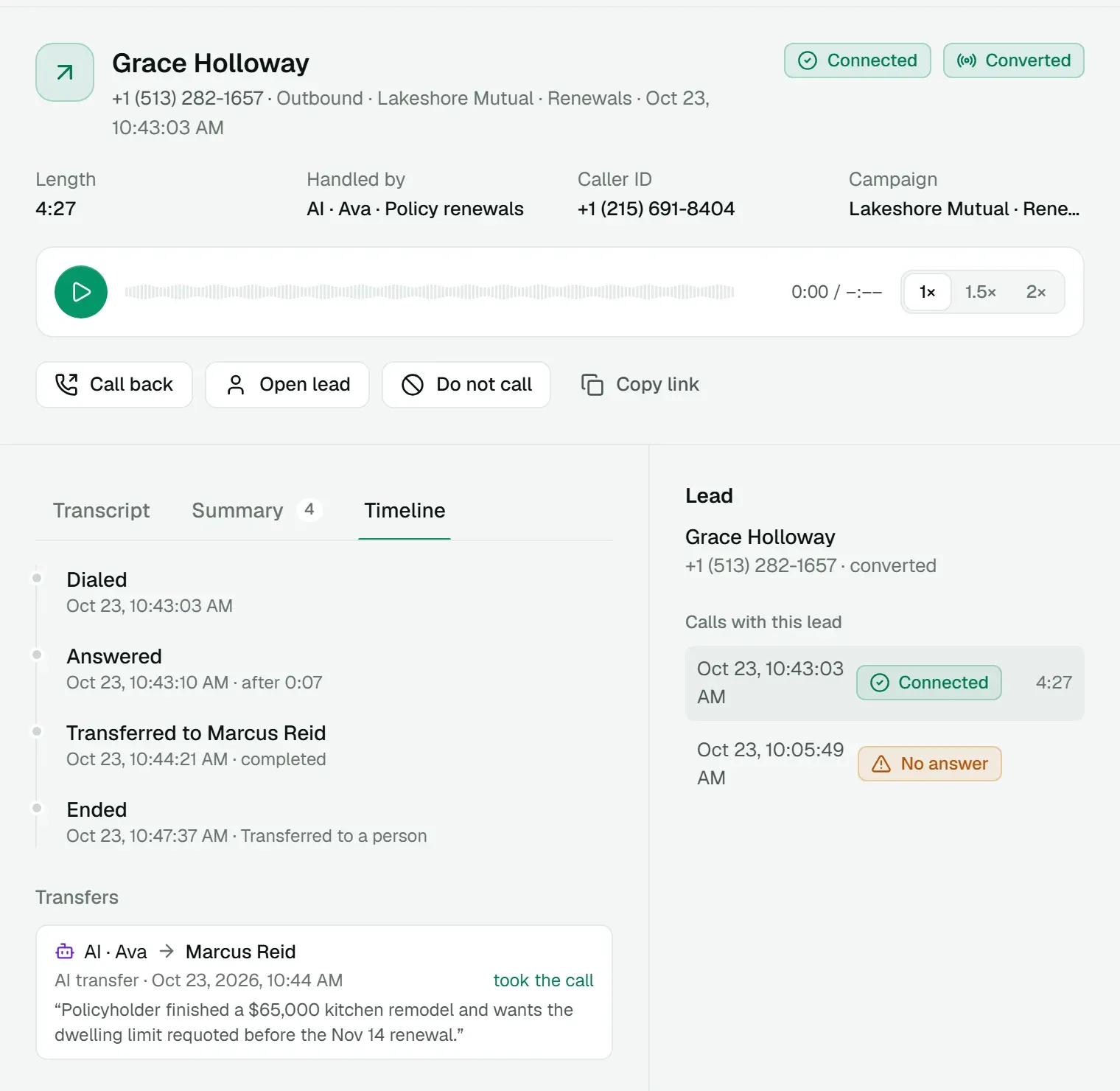
Transfer to a teammate or to any number, three ways. A blind transfer hands the call over at once, a three-way brings the other person in, and a consult lets the agent talk first while the caller holds. If nobody takes a blind transfer, the call comes back to the agent who sent it.
- The whole transfer chain is saved on the call.
- Names stay readable even after people are renamed or removed.
04
Each agent sees their own numbers
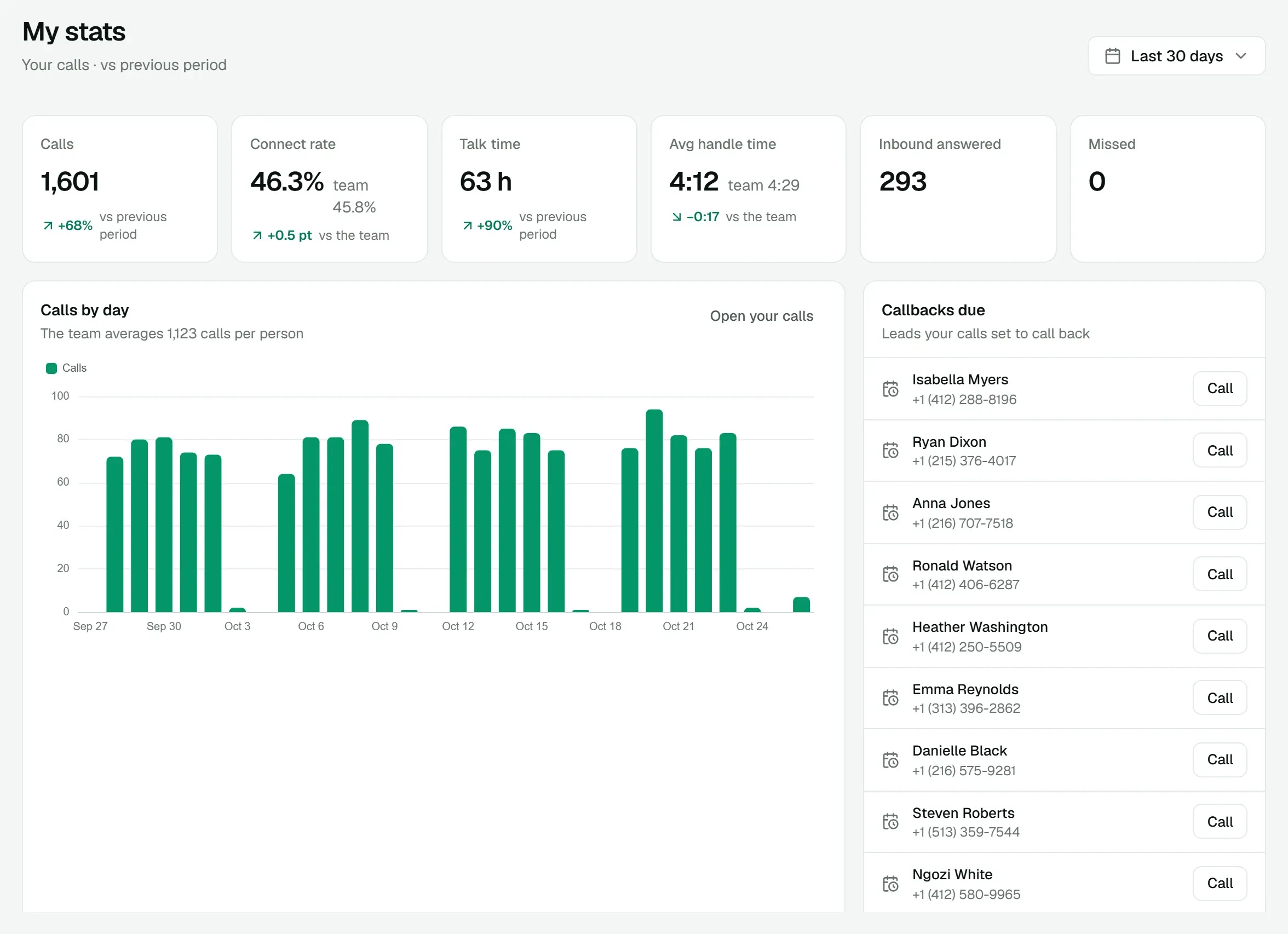
My stats shows an agent their calls, connect rate, talk time and callbacks due for any range. They see their own calls in the log and nobody else's.
Everything in Dialer
Included in the platform fee, like every other product. No charge per agent, per minute or per text.
How pricing works- No installs
- Calls run in the browser (WebRTC). No desk phones or softphone apps.
- Caller ID choice
- Agents call out from the numbers assigned to them.
- Recording rules
- Record every call, none, or let the agent switch recording on and off during the call.
- Do-not-call from the call
- Mark a number do-not-call from the dialer or the call log.
- AI calls from the dialer
- Let chosen agents start a call handled by an AI agent.
- Unlimited calling
- The dialer plan includes unlimited inbound and outbound calling.
- Phone-sized screens
- The same dialer works on a phone, with a bottom tab bar.
- Contacts
- A team address book with several numbers per contact.
- Do agents need to install a softphone app?
- No. The softphone runs in the browser over WebRTC, on a computer or a phone. There are no desk phones or apps to set up.
- Can a remote or work-from-home team use it?
- Yes. An agent needs a browser and a headset, so the same softphone works on the floor and at home. Admins still choose which numbers each person calls from and what gets recorded.
- Which call transfers does it support?
- Three. A blind transfer hands the call over at once. A three-way call brings the other person in. A consult transfer, the warm kind, lets the agent talk first while the caller holds. And if nobody takes a blind transfer, the call comes back to the agent who sent it.
- Can agents call out from different numbers?
- From the numbers an admin assigns to them. One agent can hold several, and one number can belong to a whole team.
See it on a call of your own.
We'll walk you through the dialer, a live AI call and AI Messenger, then quote the platform for your floor.