Business texting from the numbers you already call from.
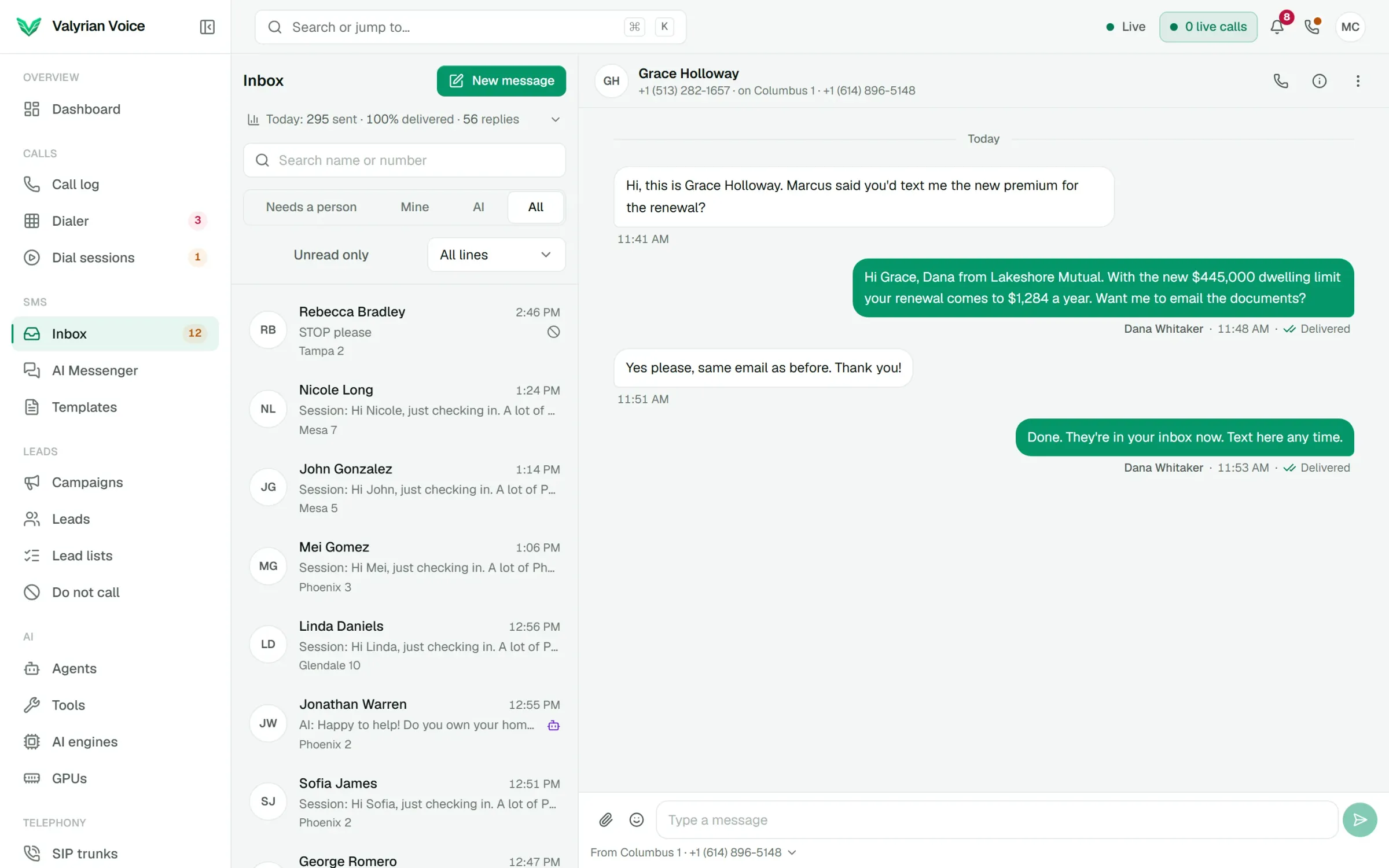
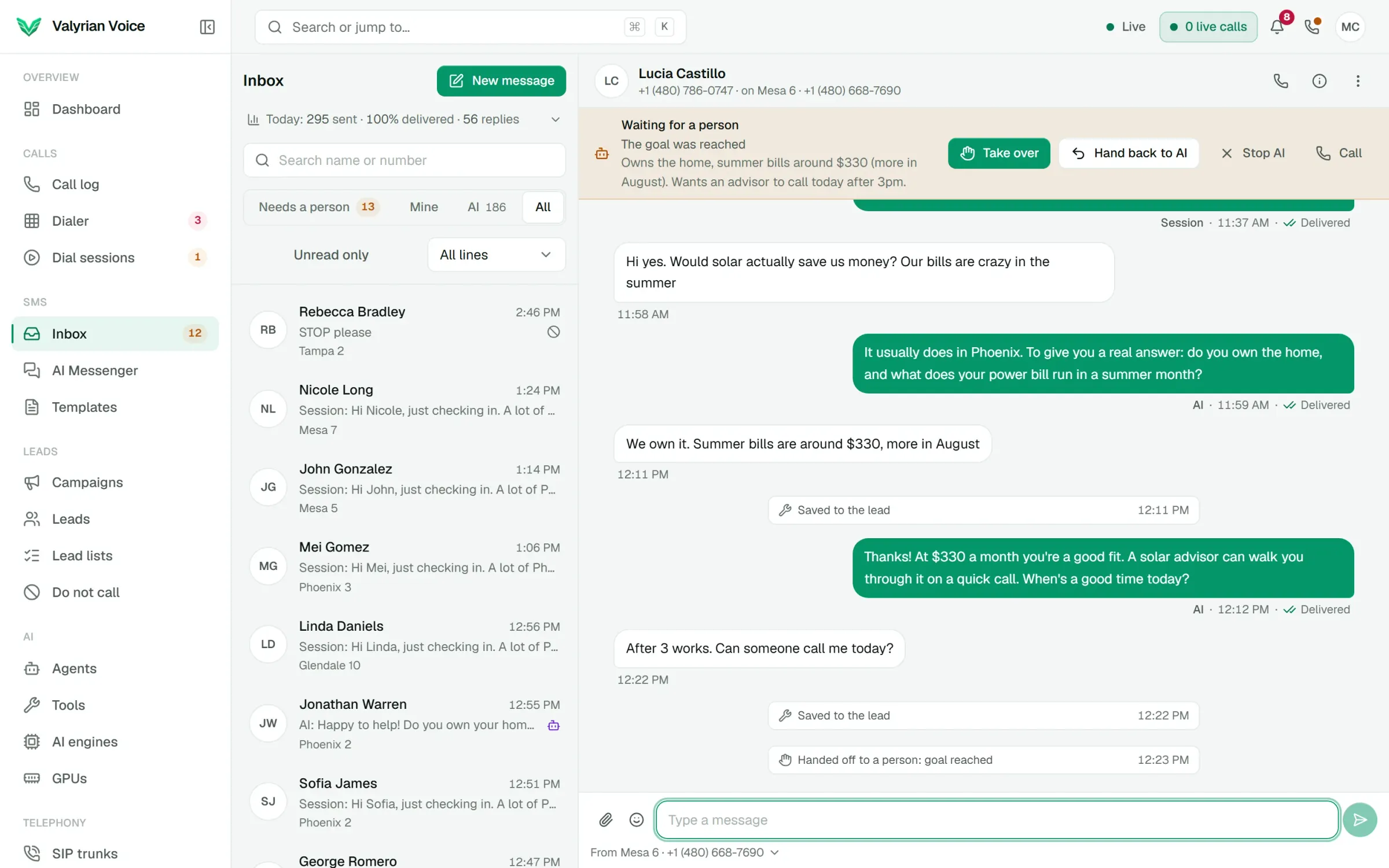
Business texting starts with a number you already call from. Connect your Twilio or Telnyx account, turn texting on for that number, and your team texts from it in one shared SMS inbox. Texts and photos arrive live, with unread badges. Every conversation sits next to the lead's calls.
- 01
Texts, photos and files both ways, on your own Twilio or Telnyx account
- 02
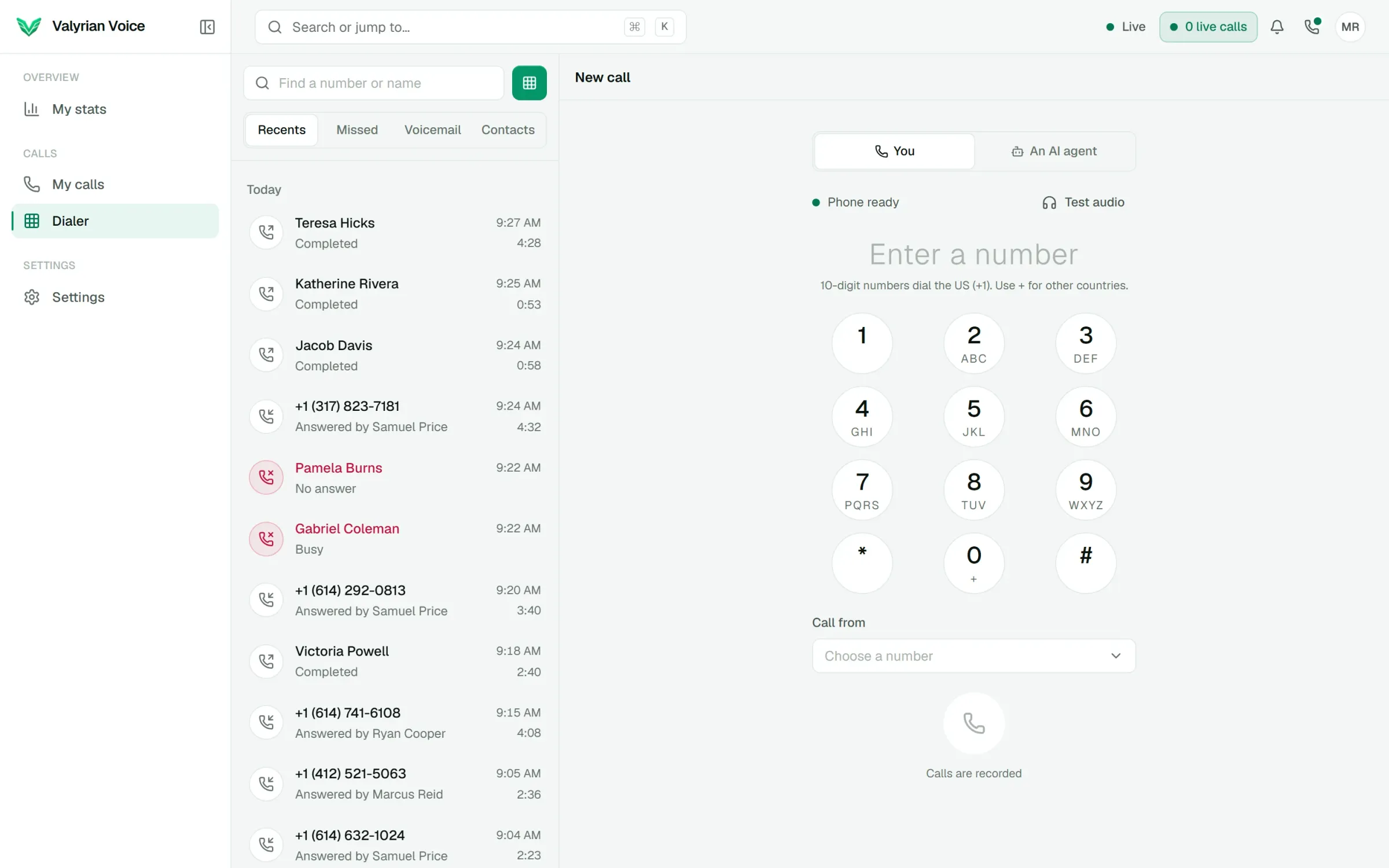
A Message button in the dialer, the call log and on every lead
- 03
Delivery ticks, STOP handling and US registration status per number
01
Two-way SMS and MMS
Send photos and files with a text; photos are shrunk in the browser so carriers accept them. The box counts characters and texts as you type, and warns when an emoji cuts a text to 70 characters.
- ✓ sent and ✓✓ delivered, from the carrier's own reports. SMS has no read receipts, so the inbox doesn't show any.
- A text that fails says why in plain words, with the carrier's code.
- A customer who texts STOP is marked opted out, and the box stays locked until they text START.
- On a phone, the dialer has an Inbox tab next to Recents.
02
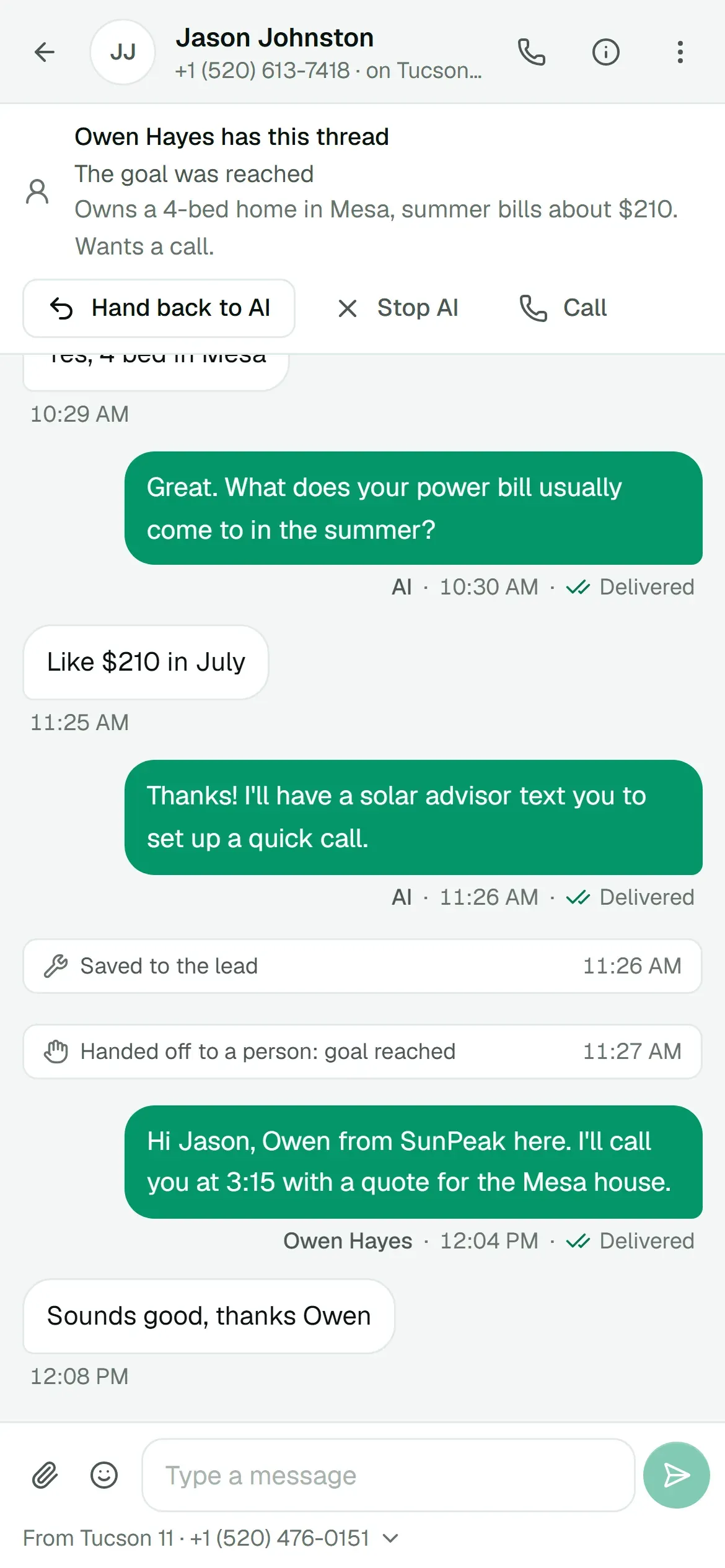
Business texting on your own numbers and provider
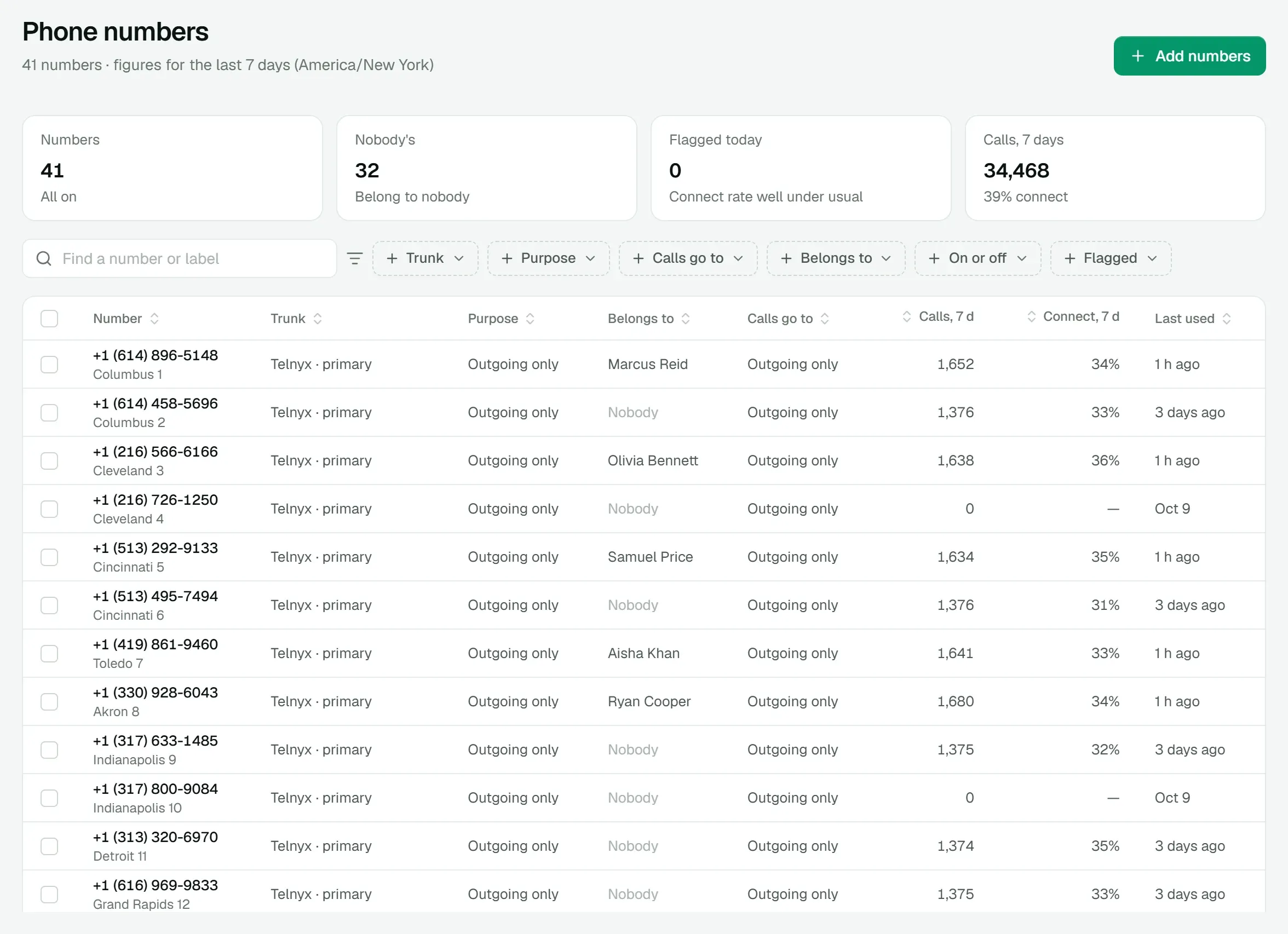
Texts go through your own Twilio or Telnyx account, which you connect like a SIP trunk. Check lists your numbers and shows which can text, which take photos and whether each is registered for US texting.
- Turn texting on number by number. Calls aren't affected.
- Send incoming texts to Dialtrix, or keep another app on the number and use it to send only.
- Restore puts a number back the way it was.
03
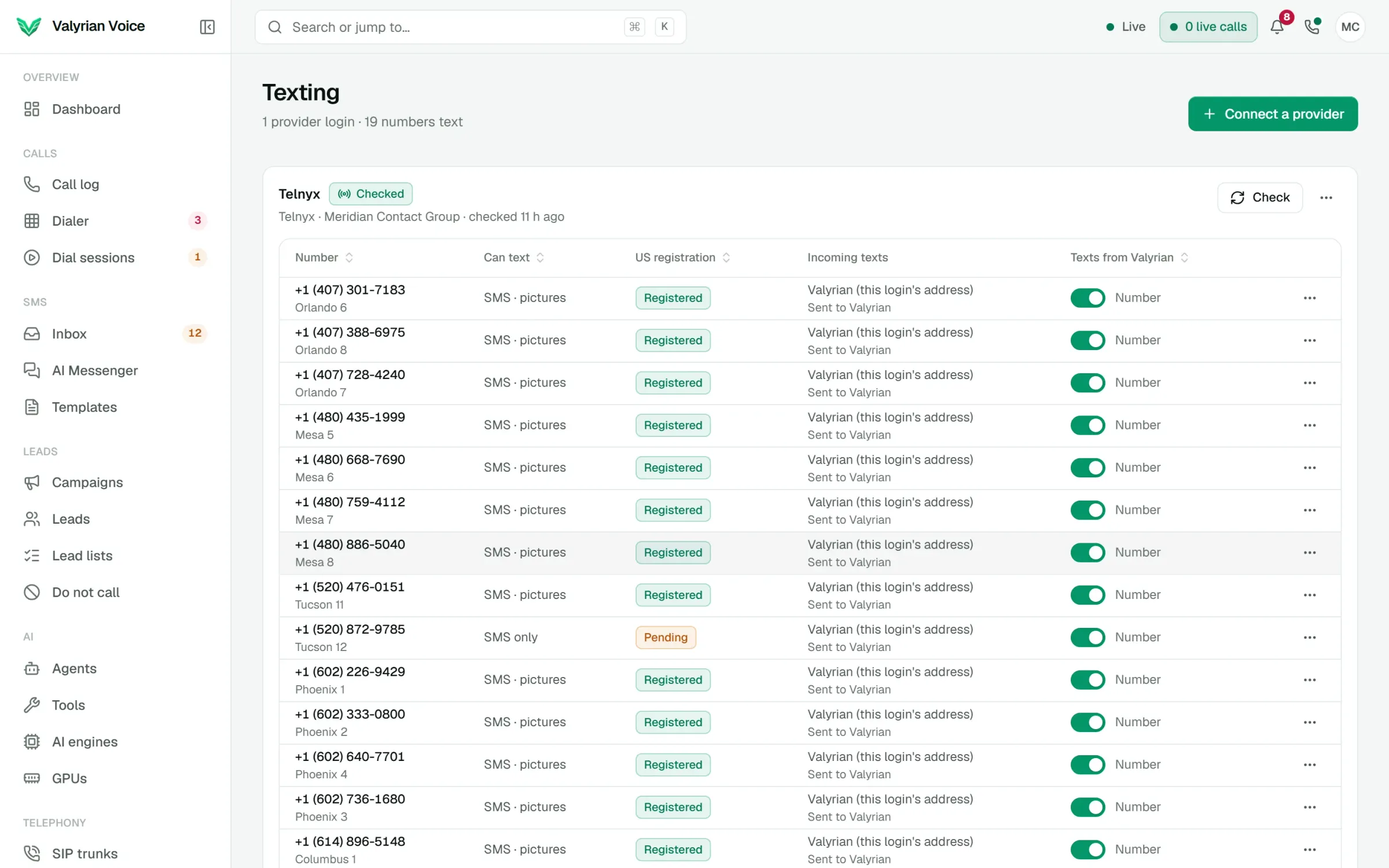
Hand any conversation to the AI
From a thread's menu, put a text agent on it. It reads the conversation so far and answers the next text, by itself or with each text waiting for someone to send it. Take it back whenever you want.
Everything in SMS inbox
Included in the platform fee, like every other product. No charge per agent, per minute or per text.
How pricing works- SMS and MMS
- Texts, photos and files, sent and received.
- Twilio and Telnyx
- Connect either or both, and choose the provider for each number.
- Message buttons
- Text from the dialer, the call log, a lead or a contact.
- Live inbox
- New texts and delivery reports arrive as they happen, with unread badges and pop-ups.
- Delivery status
- Sent, delivered, undelivered or failed, with the reason.
- STOP and START
- Opt-outs are honoured the same way on every provider.
- US registration
- Each number shows its A2P 10DLC or toll-free verification status.
- Unread your way
- Count unread per person, or share it across everyone on a line.
- Which SMS providers does it work with?
- Twilio and Telnyx. You connect your own account, use either or both, and choose the provider for each number.
- Can several agents share one SMS inbox?
- Yes. Everyone on a number sees its conversations. Unread counts can be kept per person or shared across the line.
- Are opt-outs handled for us?
- A customer who texts STOP is marked opted out, and the text box stays locked until they text START. It works the same way on both providers.
- Does it show read receipts?
- No, because SMS doesn't have them. You see sent and delivered from the carrier's own reports, and a failed text says why, with the carrier's code.
See it on a call of your own.
We'll walk you through the dialer, a live AI call and AI Messenger, then quote the platform for your floor.